Overview of Services Received and Progress Form
The Services Received and Progress Form is used every time a student record is updated. This form is valuable to colleges, workforce and other agencies that want to track this information but do not need
to send it to the state. The form has the following functionality/capabilities:
- Ability to create multiple submissions per student
- No field is required, complete only what is applicable for the student
- Fields align with the TopsPro (TE) online version
- Can be exported for TopsPro (CAEP reporting)
- Will be connected to:
- User Report
- Services Received Report
How to use the Services Received and Progress Form
Find your student
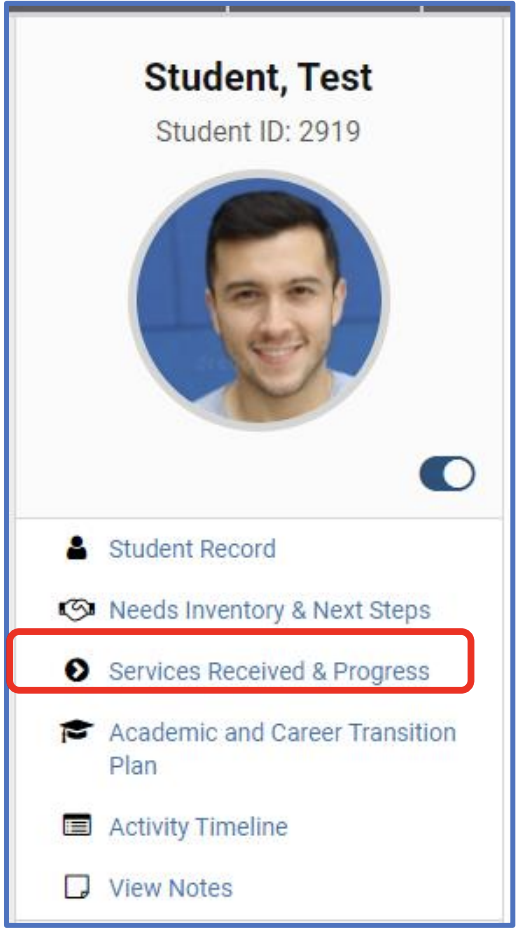
Click the “Services Received & Progress” link under the student image
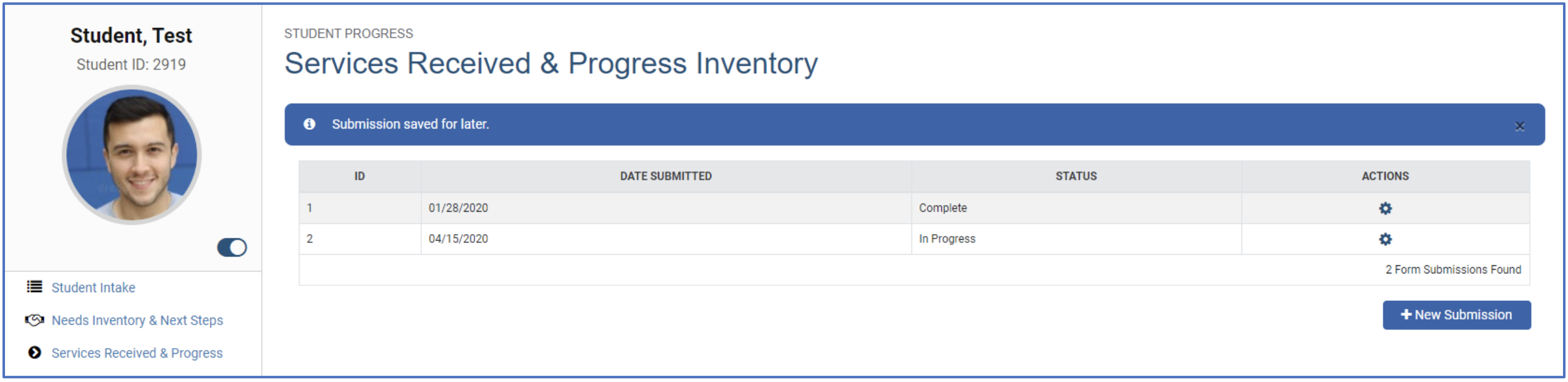
Click + New Submission button

Form submission date will default to today’s date but can be edited (back or forward).
Complete the form from top to bottom with any updates. No field is required. You can select one or more than one option on any drop-down screen.
Click “Save for Later” if you want to come back to this.
Or click “Submit for Processing” if you are complete. (This still needs action to export out of CPS for TE if you need this step. This just indicates that it is ready to be included in reports.)
- Use the “action” icon to edit the forms that were “saved for later”
- Use the “action” icon to view the summary of the fields that were submitted for processing
Comments
0 comments
Please sign in to leave a comment.